
Where Small Service Businesses Should Start with AI
The strongest AI starting points are usually in admin, follow-up, and internal process consistency rather than ambitious rebuilds.
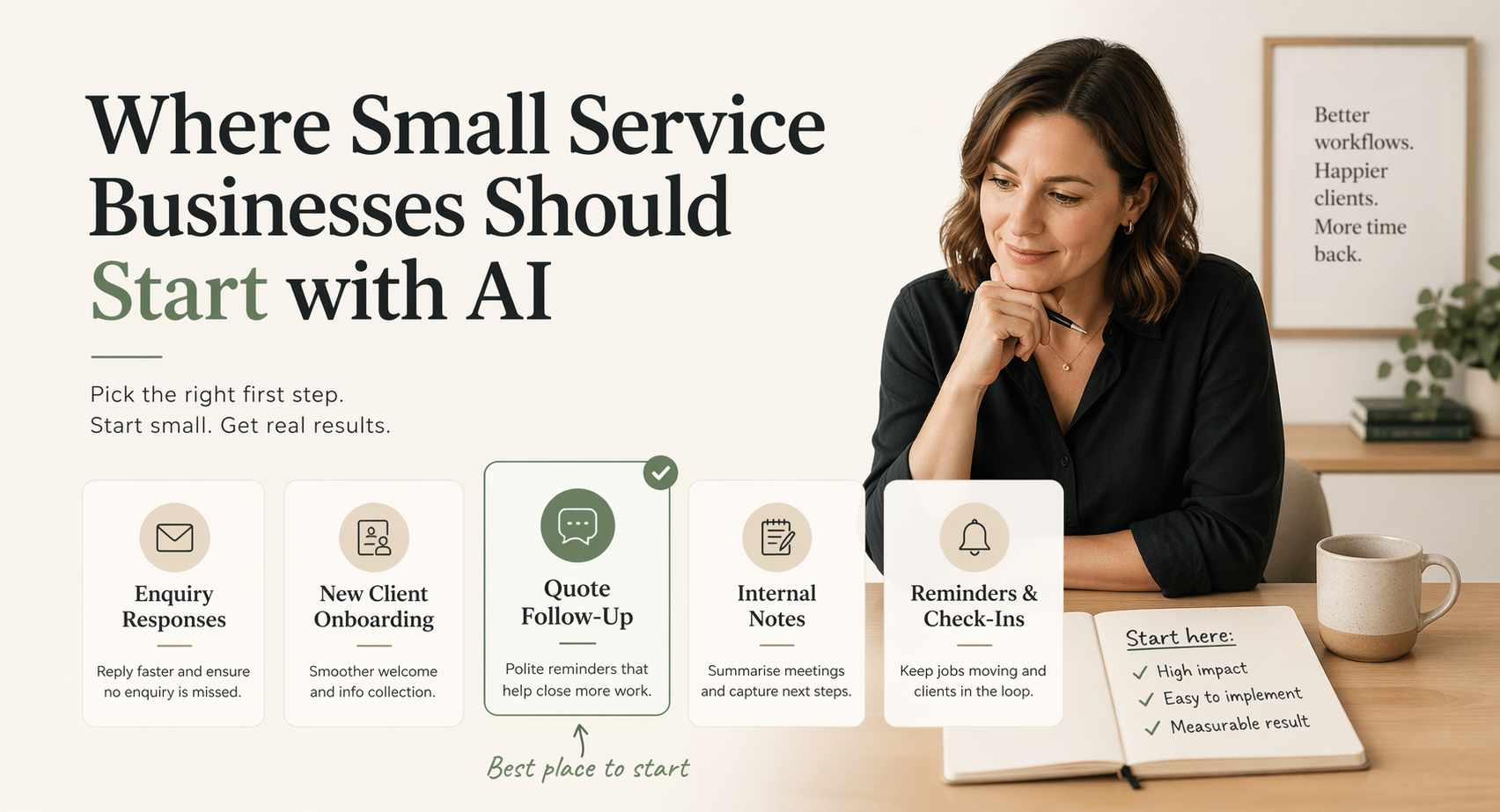
When small teams think about AI, they often jump straight to the biggest possible idea.
That is understandable. AI tools are usually sold through big examples: full automation, custom agents, new platforms, and broad promises about changing the way the whole business works.
For a small service business, that is rarely the best place to start.
The strongest first AI project is usually smaller and closer to the work already happening every week. It sits inside admin, follow-up, onboarding, internal notes, or the repeated messages a team writes so often that no one thinks of them as a process anymore.
If you are choosing where to start, the aim is not to find the most impressive use case. The aim is to find the first useful one.
The best first use cases are operational
Early wins usually come from parts of the business where:
- the work is repeated often
- delays are visible
- quality is inconsistent
- the process already exists but is not well supported
- a person can review the output before it reaches a client
This is why admin workflows, follow-ups, onboarding, quote responses, and internal documentation are such good places to start.
If the broader issue is that admin is quietly taking over the week, the related guide on how to reduce admin work in a small business breaks down where that drag usually builds up and what to fix first.
They are usually not glamorous, but they are close to revenue and client experience. If a quote follow-up happens two days late, that matters. If onboarding emails are rewritten from scratch every time, that matters. If a team member has to search through five places to find the right client note, that matters too.
AI is useful when it reduces the repeated thinking around those tasks. It can draft, summarise, classify, prepare, and remind. It should not be asked to make every judgement on its own.
Avoid the full transformation trap
If the first AI project requires a major platform migration, a new operating model, or heavy custom software, the odds of momentum dropping are high.
Small businesses benefit more from systems that can be adopted inside current tools and habits.
That might look like:
- prompt templates for recurring work
- email drafting support with review steps
- automated reminders between stages
- structured notes and summaries
- lightweight intake classification
The point is not to avoid ambition. It is to earn it. Once one workflow becomes faster and more reliable, the team has a better sense of where AI fits and where it does not.
That is a stronger base than trying to rebuild the business around a tool the team has not learned to trust yet.
A Sydney trades business with 6 staff
Imagine a small plumbing business in Sydney with six staff. The team is busy, the phone rings all day, and quote follow-up happens when someone remembers to do it.
The owner knows some jobs are being lost because faster competitors are getting back to people first. The admin person is not careless; they are overloaded. They are answering calls, checking bookings, preparing invoices, updating notes, and trying to follow up quotes at the end of the day.
Before changing tools, the workflow needs to be made visible:
- A quote is sent to a customer.
- The job is marked as quoted in the job management tool.
- Someone checks the list later.
- If there is no reply, they write a follow-up email.
- If the customer replies, the job is either booked, revised, or closed.
The first AI workflow does not need to replace that whole process. A better starting point is a simple follow-up draft.
When a quote is marked as sent, the system prepares a short follow-up email using the customer’s name, job type, suburb, and quote details. A human checks it before sending. If the customer still does not reply, a second reminder is prepared a few days later.
The result is not magic. It is consistency. Follow-up moves from “when someone remembers” to a clear step in the workflow. The admin person still controls the message, but they no longer start from a blank screen every time.
That kind of project is small enough to test, easy to explain, and close enough to revenue that the business can tell whether it helped.
Australian context matters
A lot of AI advice is written for US-centric software stacks. That can be useful, but Australian small businesses often run on a different mix of tools.
For accounting and bookkeeping, Xero and MYOB are common. For trades, ServiceM8 and Tradify often sit close to quoting, scheduling, job notes, and invoicing. For many teams, the practical workflow still depends on Gmail, Outlook, Excel, Google Sheets, or a shared Notion workspace.
That matters because the best starting point depends on where the work already happens.
If a trades business runs its quoting process through ServiceM8 or Tradify, the first AI workflow should respect that. If a bookkeeping practice tracks onboarding in Gmail and a spreadsheet, the first workflow should probably begin there rather than forcing a new system into the middle.
Australian businesses also have their own compliance and operating pressures. A workflow touching payroll, BAS preparation, client financial data, or employee conditions needs more care than a generic email drafting workflow. In those cases, the human review step is not optional.
The safest first AI projects are usually close to admin but away from final judgement. Drafting a follow-up is different from approving a financial decision. Summarising intake notes is different from giving advice. That distinction matters.
Choose a workflow with a clear commercial effect
Good first projects usually affect one of these:
- speed of response
- consistency of communication
- reliability of follow-up
- reduction in admin burden
- better use of team time
Those are easier to evaluate than vague goals like “using AI more”.
If the workflow has no clear effect, it will be hard to know whether the project worked. A clever prompt is not enough. A useful workflow should change something you can notice.
For example, a good first project might reduce quote follow-up time from two days to four hours. It might reduce onboarding email writing from 30 minutes to five minutes. It might make weekly internal summaries consistent enough that the owner no longer has to chase everyone for updates.
Those are practical outcomes. They are also easier to maintain because the team can see why the system exists.
How to evaluate your first AI project
Before you build anything, run the workflow through four questions.
- Is this task repeated at least weekly?
If the task only happens once or twice a year, it is probably not the right first AI project. Start with something frequent enough that the team can practise, test, and improve it.
- Does the output have a consistent format?
AI works better when the desired output is clear. A quote follow-up, onboarding email, intake summary, or internal status note has a recognisable shape. A vague strategic decision usually does not.
- Is there a human review step?
The first version should have a person checking the output. This protects quality and helps the team learn what the workflow should do differently next time.
- Can we measure whether it is better?
A simple measure is enough: time saved, faster response, fewer missed follow-ups, fewer manual copy-and-paste steps, or better consistency across the team.
If a workflow passes those four checks, it is probably a reasonable place to start.
Create a simple standard before you automate
If every team member handles the same task differently, automation will amplify the inconsistency.
A better sequence is:
- define the desired output
- create a simple repeatable process
- decide which parts AI should support
- measure whether the result is actually easier or better
AI works best when it strengthens a good process. It works badly when it is used to avoid designing one.
This is why a process audit is often the right first step. The audit is not about finding the fanciest tool. It is about choosing the workflow where a small change will create the most practical relief.
If you are comparing tools before the process is clear, pause. The tool choice gets easier once you know the trigger, input, output, review step, and owner.
Build confidence through visible wins
Once a team sees a workflow become faster and more reliable, it becomes much easier to expand AI usage carefully.
That is how sustainable adoption usually happens: one useful system at a time.
The first project should be small enough that people can understand it. It should be documented enough that someone else can maintain it. It should be measured enough that the business knows whether it was worth doing.
That is also why working with an AI consultant should not start with a giant roadmap. It should start with one problem, one workflow, and one clear next step.
For another angle on this, the guide on reducing admin load with AI workflows breaks down how to identify repeated admin work and turn it into something more reliable. If the first question is still where the admin burden is coming from, start with how to reduce admin work in a small business.
FAQ
How do I know if my business is ready for AI?
Your business is ready for AI when you can point to one repeated process that already happens often and has a clear desired output. You do not need a perfect tech stack or a large team. You need a workflow that is costing time, a person who understands how it should work, and a willingness to document the process before adding automation. If the task is repeated weekly and someone can review the output, it is worth exploring.
What’s the simplest AI workflow a service business can implement?
The simplest useful workflow is usually a first-draft response or follow-up email based on information the business already has. For example, a form submission can be turned into a draft reply, quote follow-up, or onboarding note for a person to check before sending. It saves time without removing judgement from the process. The key is to keep the output narrow, repeatable, and reviewed by a human before it reaches a client.
How long does it take to set up a basic AI workflow?
A basic AI workflow can often be mapped and tested within one to two weeks if the process is already understood. The first few days are usually spent defining the trigger, input, output, and review step. The build itself is often smaller than people expect. More time is needed when the workflow is unclear, the tools are messy, or the team has not agreed on what a good output looks like.