
Reducing Admin Load with AI Workflows in Small Service Businesses
A practical guide to identifying repetitive admin work and turning it into simple AI-assisted workflows without creating fragile systems.
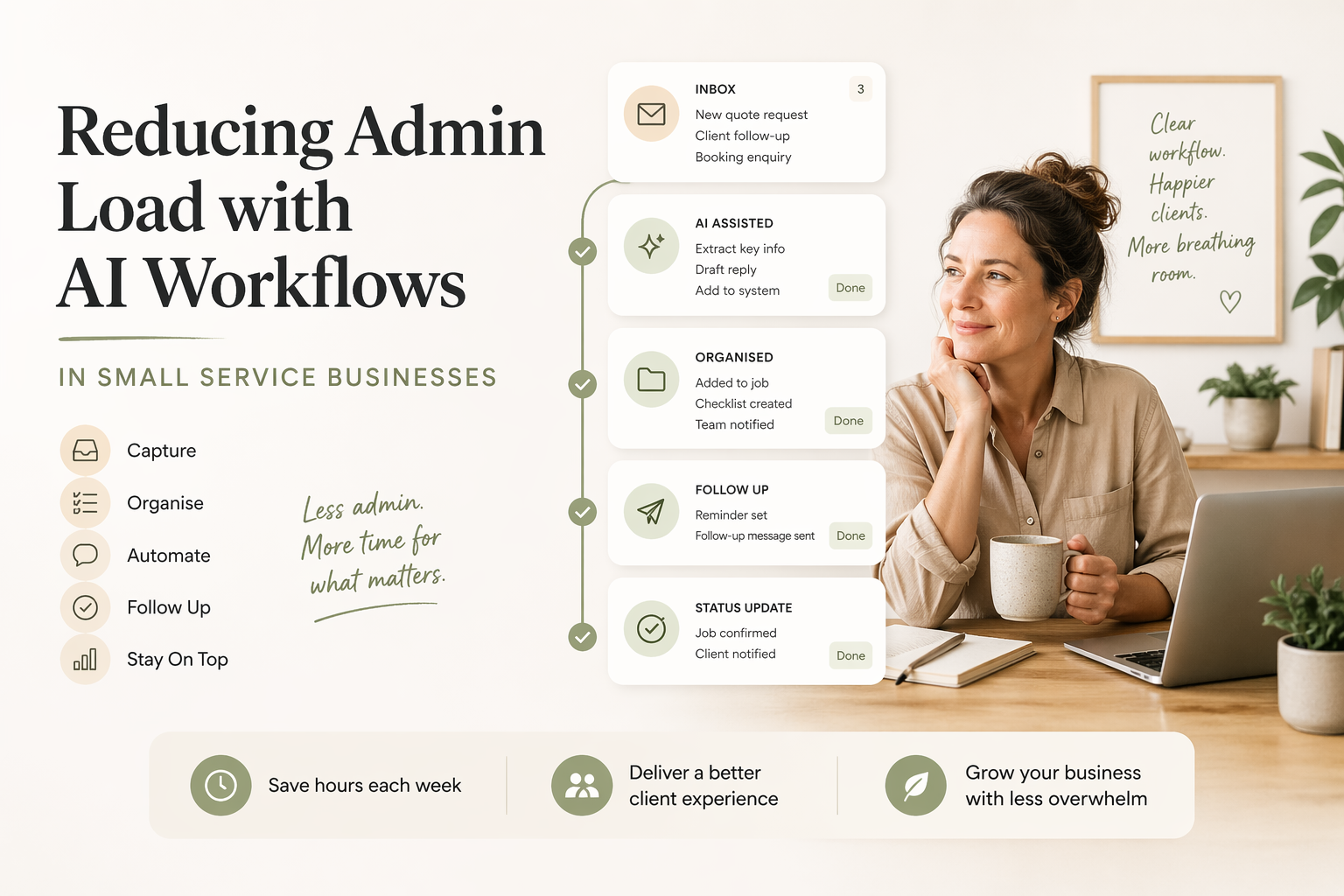
Most small service businesses do not have an automation problem first. They have a clarity problem.
Teams often know that admin is eating time, but they have not isolated which steps are repeated, which handoffs create delay, or where inconsistent follow-up is quietly costing revenue.
That matters because AI works best when it has a clear job. If the workflow is vague, the AI layer will usually make the mess faster rather than better.
The goal is not to automate everything. The goal is to find the repeated pieces of admin that can be prepared, drafted, summarised, classified, or reminded about so people can spend less time rebuilding the same work from scratch.
If the admin load feels obvious but the cost is still vague, the business process automation ROI calculator can help turn one repeated workflow into a rough annual cost and savings estimate before you design the fix.
Start with one repeatable workflow
The best place to begin is a workflow that happens often enough to matter and predictably enough to document.
Good starting points include:
- inquiry response and qualification
- onboarding emails and reminders
- quote follow-up
- recurring internal summaries
- intake notes that need to be cleaned up
- client status updates
If a process changes dramatically every time, adding AI too early usually makes it harder to manage. The team ends up debugging the workflow and the tool at the same time.
A better first workflow is boring in the right way. It happens every week. It has a clear trigger. It has a recognisable output. Someone already knows what a good version looks like.
That might be a draft email after a form submission, a standard onboarding checklist, a weekly summary from notes, or a reminder when a quote has not been followed up.
Mapping the workflow before touching tools
Before choosing software, map the workflow in plain language. You do not need a complex diagram. A simple table is usually enough.
| Trigger | Who does it | What they do | Time taken | How often | Could AI help? |
|---|---|---|---|---|---|
| New inquiry form arrives | Admin | Reads form, checks fit, drafts reply | 10 minutes | Daily | Yes |
| Quote sent | Owner | Checks if customer replied, writes follow-up | 8 minutes | 3 times weekly | Yes |
| New client approved | Admin | Sends onboarding email and document checklist | 20 minutes | Weekly | Yes |
| Client asks complex advice question | Practitioner | Reviews context and gives advice | Varies | Weekly | No |
The point of this exercise is not to force every row into an AI tool. The point is to see which tasks are repeated, structured, and safe to support.
When a team fills this out for 5 to 10 workflows, two or three clear candidates usually appear. They are often the tasks people complain about quietly because they are not hard once, but they are draining when repeated all week.
The last column is important. “Could AI help?” does not mean “Should AI own this?” It usually means AI can draft, summarise, classify, prepare, or remind, while a person still checks the output.
Look for friction before looking for tools
Once the workflow is mapped, look for the specific friction.
Ask:
- What triggers the process?
- Who touches it?
- What information is copied, rewritten, or reformatted?
- Where do delays or missed follow-ups happen?
- What does a good output look like?
- Who reviews it before it is used?
That simple map usually reveals whether the right answer is a prompt template, a small automation, or a clearer process boundary.
Sometimes AI is not the first fix. If no one owns the follow-up step, an AI email draft will not solve the ownership problem. If the intake form is missing key information, an AI summary will still be weak. If the team disagrees on what “good” looks like, automation will make that inconsistency more visible.
This is why a process audit should start with the work, not the tool. The useful question is: where is the repeated friction, and what is the smallest system that would reduce it?
Use AI where judgement is light and repetition is high
AI tends to be most useful when it helps with drafting, summarising, categorising, or preparing information for a human to review.
Examples:
- drafting a first-pass email response from form inputs
- summarising notes into a standard internal format
- classifying incoming requests before triage
- creating a follow-up reminder when a status has not changed
- turning meeting notes into a simple task list
The goal is not to remove people from the process. The goal is to remove unnecessary rework.
For a small team, that distinction matters. Repetitive admin often creates cognitive drag: the person knows what needs to be done, but they still have to gather the information, remember the format, write the message, check the next step, and update the record.
An AI workflow can reduce that load. It should not pretend that judgement is no longer needed.
Common mistakes when adding AI to admin workflows
The first mistake is automating a bad process. If the workflow is unclear, inconsistent, or owned by no one, automation will usually expose that rather than fix it. Clean up the basic process first.
The second mistake is skipping the human review step. This is especially risky when the output goes to a client or touches financial, legal, health, or staffing information. AI can draft, prepare, and summarise. A person still needs to check what matters.
The third mistake is building without documentation. If no one knows what triggers the workflow, what data it uses, what the output should look like, or what to do when it breaks, the system becomes fragile quickly.
The fourth mistake is choosing the wrong tool for the Australian market. A tool that looks fine in a US demo may not handle AEST cleanly in automations, may not integrate well with Xero, MYOB, ServiceM8, or Tradify, or may create awkward workarounds for teams already using Gmail, Outlook, Excel, or Google Sheets.
Good AI workflows are not just technically possible. They fit the way the business already works.
Australian small business example
Imagine a bookkeeping practice in Sydney with four staff. New clients come in through referrals, email, and the occasional website inquiry. Once a client says yes, the team needs to send an onboarding email, request documents, explain next steps, and follow up when information is missing.
Before the workflow is improved, each onboarding email is written from scratch. One person is warm and detailed. Another is brief. Sometimes the TFN declaration, bank feed setup, or Xero access request is mentioned clearly. Sometimes it is buried halfway down the email. Follow-up depends on memory.
The team does not need a new platform first. They need a clearer sequence.
The rebuilt workflow uses Gmail and Notion because those are the tools the team already uses. A simple Notion record holds the client type, services, missing documents, and onboarding status. When a new client is marked ready to onboard, an AI-assisted draft email is prepared from the Notion fields.
The draft includes:
- a short welcome note
- the specific documents needed
- the next step for Xero access
- who to contact with questions
- a follow-up date if nothing is received
A staff member reviews and sends it. If documents are still missing after a few days, the workflow prepares a short reminder. Again, a person checks it before it goes out.
The result is not that AI runs the bookkeeping practice. The result is that a repeated admin task becomes easier, more consistent, and less dependent on the memory of whoever is least busy that day.
That is where AI consultancy is often most useful for small businesses: turning a messy repeated task into a clear workflow that the team can keep using.
Keep the system maintainable
The easiest way to lose the benefit of automation is to create a process no one understands six weeks later.
Keep each workflow simple:
- one trigger
- one defined output
- one owner
- one human review point
- one short document explaining how it works
That makes it easier to improve the system without rebuilding it from scratch.
The document does not need to be long. It should answer:
- when does this workflow start?
- what information does it use?
- what does it produce?
- who checks it?
- what should someone do if it looks wrong?
This is where prompt systems and workflow systems meet. The related article on turning ad-hoc prompts into repeatable team processes goes deeper on documenting prompts so they become shared process rather than private habit.
Measure whether the workflow is actually better
Useful metrics are usually operational, not technical:
- time saved per task
- response time improvement
- reduction in missed follow-ups
- fewer manual copy-and-paste steps
- better consistency across team members
- fewer questions about what happens next
If those numbers do not move, the workflow needs adjustment.
Sometimes the first version will save time but create confusion. Sometimes the AI draft will be useful but too long. Sometimes the reminder timing will be wrong. That is normal. The point is to keep the workflow small enough that it can be tuned.
Practical AI systems create leverage because they improve the way work moves, not because they sound advanced.
If the bigger question is how to turn one repeated process into a practical automation plan, read the guide on how to automate business processes in a small business. If the question is where the admin load is coming from before a workflow is designed, start with the broader guide on where small service businesses should start with AI.
FAQ
What admin tasks are best suited to AI workflows?
The best admin tasks for AI workflows are repeated often, have a clear input, and produce an output a person can review. Common examples include follow-up emails, intake summaries, onboarding reminders, status updates, and internal notes. Avoid starting with tasks that require final judgement, sensitive advice, or complex exceptions. A good first workflow should reduce repeated drafting or copy-and-paste work without removing human oversight.
Do AI workflows need custom software?
Most small service businesses do not need custom software for a first AI workflow. The better starting point is usually the tools already in use, such as Gmail, Outlook, Notion, Xero, ServiceM8, Tradify, Excel, or Google Sheets. Custom software only makes sense once the process is stable, the return is clear, and the business understands what it needs the system to do.
How do you stop AI workflows from becoming fragile?
Keep the workflow narrow, document it, and make sure someone owns it. A fragile workflow usually has too many steps, unclear inputs, no review point, or no written explanation of how it works. Start with one trigger, one output, and one human check. Then measure whether it is actually saving time before adding more automation.