
How to Automate Business Processes in a Small Business (Without Overcomplicating It)
How to automate business processes in a small business — which processes to start with, how to map them step by step, which tools to use, and how to measure whether it's actually working.
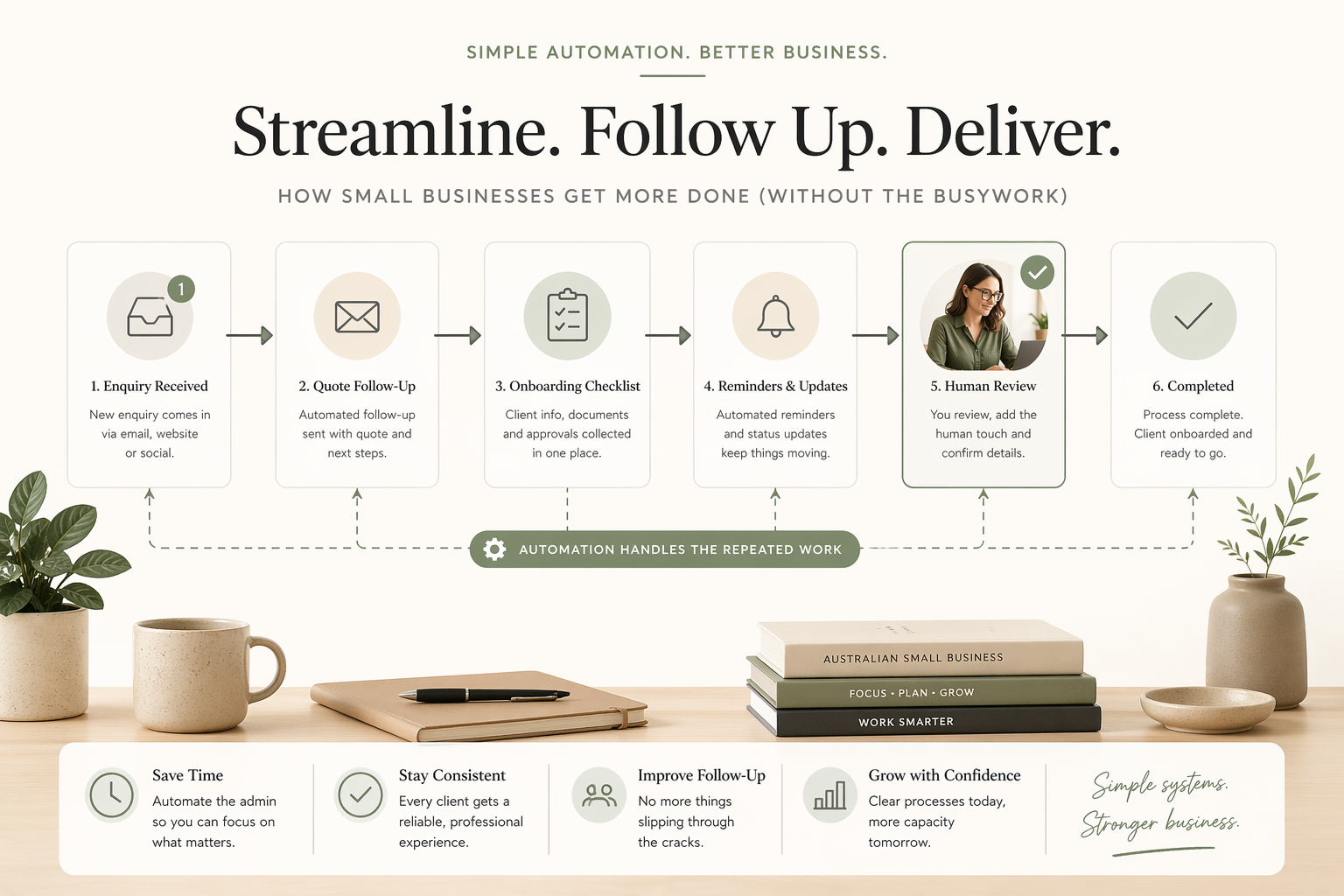
To automate business processes in a small business means replacing repeated manual work, such as chasing, drafting, updating, and reminding, with a workflow that runs the same way every time, without waiting on someone to remember it. That starts with one repeated task, not a full system: choose a process with a clear trigger and a predictable output, then automate only the part that is wasting time.
How to automate business processes, in short:
- Choose one repeated process
- Map how it works today
- Define the trigger, input, output, and owner
- Decide what stays human
- Use existing tools first
- Test with real examples
- Measure whether the result improved
That sequence works whether you are building an AI-assisted draft workflow, a reminder system, or a data handoff between tools.
The most common first automations in small Australian service businesses:
- Quote follow-up and reminders
- Enquiry triage and first-response drafting
- Client onboarding emails and document chasing
- Recurring internal summaries and meeting-note cleanup
- Status updates and handoff notifications between team members
Most small businesses do not have an automation problem first. They have a workflow problem.
The process is half in an inbox, half in a spreadsheet, partly in someone’s head, and partly in the CRM nobody fully trusts. Then a new tool gets added in the hope that automation will fix the mess.
That usually breaks down because automation makes an unclear process move faster, not better.
If the workflow is inconsistent, ownership is fuzzy, or the review step is missing, the automated version often creates more checking work instead of less admin.
The better approach is simpler. Choose one repeated business process. Make it visible. Decide what should stay human. Then automate the part that is wasting time.
If you want to make the cost visible before choosing the workflow, use the business process automation ROI calculator to estimate the weekly, monthly, and annual cost of one repeated admin process.
If the harder question is which process should go first, use the guide on business processes small businesses should automate first before choosing the tool or platform.
That is also why it helps to understand what an AI workflow is before thinking about tools. The workflow has to be clear before automation can improve it.
What does it mean to automate a business process?
To automate a business process means turning repeated work into a clearer sequence that runs more reliably.
For a small business, that usually does not mean replacing people. It means reducing the repeated drafting, copying, checking, chasing, and remembering that slows the team down.
A business process might start when:
- a new enquiry is submitted
- a quote is sent
- a client is marked ready to onboard
- documents are uploaded
- a follow-up has not happened on time
Automation helps when the trigger is clear and the next step has a recognisable format.
That might mean:
- drafting a first response
- preparing an onboarding checklist
- creating a reminder
- summarising notes into a standard format
- moving data between systems after a status changes
The important distinction is this: automation is not the tool. It is the way the work moves.
The National AI Centre’s 2025 Q1 tracker showed that the top AI applications adopted by Australian businesses included data entry and document processing (27%) and generative AI assistants (27%). That pattern makes sense. Small businesses usually get value when AI supports repeated operational work, not when it is treated like a stand-alone experiment.
Which business processes should a small business automate first?
The best first processes to automate are the ones that are repeated, structured, and annoying enough to matter.
Good starting points usually include:
- enquiry triage and first-response drafting
- quote follow-up
- onboarding emails and reminders
- document collection follow-up
- recurring internal summaries
- client status updates
- note cleanup after calls or meetings
These workflows tend to have three things in common:
- They happen often.
- The output has a recognisable shape.
- A person can still review the result before it matters externally.
This is where small service businesses usually get the first return. Not from automating the most sophisticated process, but from improving the repeated admin work that quietly eats time every week.
If the process only happens a few times a year, changes dramatically every time, or requires final judgement on money, compliance, health, or staffing, it is usually the wrong place to start.
Business processes small businesses should automate first
If you are trying to work out how to automate your business, the first step is not choosing the platform. It is choosing the right process. A good first automation candidate usually has a clear start point, a repeated action, a predictable output, and a person who already owns the result.
For most small service businesses, that points to operational admin rather than complex decision-making.
| Process | Why it works as a first automation | What should stay human |
|---|---|---|
| Quote follow-up | The trigger and timing are usually clear once a quote is sent. | Final wording, discounts, and judgement on unusual clients. |
| New enquiry triage | Incoming messages can be classified, summarised, and routed faster. | Deciding fit, urgency, and sensitive responses. |
| Client onboarding | The same checklists, emails, and document requests repeat often. | Client-specific instructions and anything involving money or compliance. |
| Internal summaries | Notes, emails, and updates can be turned into a standard format. | Final decisions, priorities, and client-facing conclusions. |
| Reminder workflows | Missed follow-up is easy to spot and expensive when ignored. | Deciding when not to follow the standard reminder path. |
This matters because “automate business processes” is too broad as a first project. The useful move is to automate one process, prove it works, then expand from there.
Why most small businesses get automation wrong
The most common mistake is starting with the tool instead of the process.
Someone signs up for Zapier, Make, n8n, ChatGPT, or Claude before the business has defined what the workflow actually is. No one has documented the trigger. No one has defined what a good output looks like. No one has said who reviews the result before it goes out.
If that happens, the workflow becomes fragile quickly.
The second mistake is automating a messy process. If three different people already handle the same task in three different ways, automation will amplify the inconsistency.
The third mistake is over-engineering. Small businesses do not usually need a complex automation stack to get the first win. They need a simple system that reduces repeated work and can still be understood six weeks later.
This is the same pattern behind turning ad-hoc prompts into repeatable team processes. A prompt can help with one step, but it does not replace a documented workflow the team can actually run and review.
This is also where AI can be misunderstood. The same AI tracker found that 43% of AI-adopting businesses check AI results before they affect customers or clients. That is a useful signal. Businesses are getting value from AI, but human review is still a practical part of responsible implementation.
If a workflow has no owner, no review step, and no measurement target, automation usually becomes another thing the team has to manage.
How to automate a business process step by step
The most practical way to automate a business process is to keep the first version narrow.
If you want to automate your business processes without creating another system to maintain, use this sequence before buying software.
1. Choose one repeated process
Pick a task that happens often enough to matter and predictably enough to document. Quote follow-up, enquiry handling, onboarding preparation, and reminder workflows are strong starting points.
2. Map the current workflow
Write down how the process works today, including the awkward parts.
Use a simple structure:
| Trigger | Owner | What happens now | Time taken | How often | What must be reviewed |
|---|---|---|---|---|---|
| Quote sent | Admin coordinator | Checks status, drafts follow-up, updates record | 8 minutes | 20 times weekly | Message accuracy and timing |
This reveals where the real friction is.
3. Define the trigger, input, output, and owner
Be specific.
- Trigger: what starts the workflow?
- Input: what information does it use?
- Output: what should it produce?
- Owner: who is responsible for checking and using it?
If these are vague, the workflow is not ready to automate.
4. Decide what should stay human
The first version should keep final judgement with a person.
AI can draft, summarise, classify, extract, and prepare. A person should still review what affects customers, revenue, compliance, or trust.
5. Use existing tools first
Most small businesses should start inside the systems they already use. Gmail, Outlook, Google Sheets, Notion, Xero, MYOB, ServiceM8, and Tradify often hold enough context to support the first workflow without another platform.
6. Test with real examples
Do not test with perfect demo inputs. Use the real enquiries, real quotes, real onboarding tasks, and real handoffs the team already deals with.
That is the only way to see whether the workflow saves time or creates new cleanup work.
7. Measure whether it actually improved the work
Measure outcomes the business can feel:
- time saved per task
- faster response time
- fewer missed follow-ups
- less copy-and-paste work
- more consistent communication
- fewer questions about what happens next
If those outcomes do not improve, the process or the workflow design needs work.
If the broader goal is reducing repetitive operational load, this also connects directly to reducing admin load with AI workflows. Automation works best when it removes repeated friction, not when it adds another system to maintain.
Manual vs automated process: what actually changes?
The point of automation is not to make the business look more advanced. The point is to make repeated work more reliable.
| Factor | Manual process | Automated process |
|---|---|---|
| Trigger | Often depends on memory, inbox checking, or a manual list | Clear event, status change, form submission, or schedule |
| Time | Rebuilt from scratch each time | Repeated steps are prepared or handled automatically |
| Consistency | Varies by workload and who is doing it | More stable output and timing |
| Follow-up reliability | Easy to miss when the team is busy | Easier to schedule, track, and repeat |
| Visibility | Progress is often hidden in inboxes and notes | Steps and handoffs are easier to see |
| Review burden | Manual work still needs checking | AI or automation still needs review, but less rebuilding is required |
| Maintenance | Low documentation, high dependency on individuals | Higher upfront structure, lower repeated rework when done properly |
Another useful distinction is process-first automation versus tool-first automation.
Process-first automation starts by understanding the work, then matching tools to the job. Tool-first automation starts with a platform and tries to force the process around it. The first approach usually leads to a system people keep using. The second usually leads to a workflow people avoid or work around.
Examples of business processes small service businesses can automate
Quote follow-up for a trades business
A plumbing or electrical business sends quotes every week, but follow-up happens when someone remembers. The automated version creates a reminder two business days later, drafts a short follow-up using the job details, and waits for admin approval before sending.
The result is faster, more consistent follow-up without removing human control.
Onboarding preparation for a bookkeeping practice
When a new client says yes, the team needs to send an onboarding email, request documents, explain the next steps, and track what is still missing. The automated version prepares the email draft and checklist from the agreed service type and client record, then a staff member reviews it before it goes out.
The result is less repeated drafting and fewer missed onboarding steps.
For accounting and bookkeeping firms, there is a more specific version of this problem around document chasing, spreadsheet review, and reviewed categorisation on the AI for accountants page.
Enquiry triage for an allied health or professional services business
When a website enquiry comes in, someone has to read it, decide where it should go, and prepare the next response. The automated version classifies the enquiry, drafts a first reply, and suggests the next action for staff review.
The result is more reliable response handling and less time spent sorting incoming work manually.
Reporting workflow for a professional services team
A team producing regular client reports was spending several hours each time manually compiling data and formatting the output. The automated version takes a data upload as the trigger, runs an AI skill that structures and generates the report, and delivers the finished document without any manual steps during the run itself.
The result is a process that takes a couple of minutes instead of several hours, with the human involvement limited to uploading the data and reviewing the output before it goes to clients.
Lead generation and follow-up pipeline for a consulting business
I built a version of this for my own consulting pipeline. A scraper pulls businesses from Google Maps based on the type of business I am targeting, then automatically visits each business website and extracts the contact name, email address, and relevant details about what they do. An AI agent reviews all of that information and scores each lead for fit. I review the flagged ones, approve the ones worth contacting, and a draft outreach email is ready for my review before anything goes out. An evening automation checks which emails have been sent and which have received replies, drafts follow-ups after four business days of silence, and flags anything that needs a phone call to close the loop.
The whole system saves several hours a week. My only job is deciding which leads to approve and whether to send each draft.
What tools help automate business processes?
Tools matter, but they are not the strategy. It helps to think of them as layers.
1. Current systems first
This is where the work already lives.
For many Australian small businesses, that means:
- Gmail or Outlook
- Google Sheets or Excel
- Notion
- Xero or MYOB
- ServiceM8 or Tradify
- a CRM or shared inbox
If the workflow already lives in one of these systems, start there.
If the tool question is still unclear, the AI tools guide for Australian small businesses can help you compare the main options without turning the decision into a generic software search.
For a more process-led tool decision, the guide to business process automation tools for small businesses explains when to use existing systems, AI assistants, automation platforms, or custom builds.
2. AI assistant layer
This is where tools like ChatGPT and Claude can help.
ChatGPT can work with connected apps and internal information through apps, including file-search and connected-data workflows. Claude can work with tools and data through connectors and custom remote MCP connectors, including in Claude Cowork.
That makes them useful for:
- drafting responses
- summarising notes
- classifying requests
- retrieving context from connected tools
- preparing the next step in a workflow
They can support parts of a workflow well. They do not replace process design, ownership, or review rules.
If you want to understand the setup around ChatGPT or Claude in more detail, read the AI harnesses guide. It explains how context files, reusable instructions, skills, connectors, MCP, scheduled tasks, and permissions fit around the model.
3. Automation and orchestration layer
This is where tools like Zapier, Make, and n8n fit.
They help move data between systems, trigger actions, handle branching logic, and make the workflow run in the right order.
That is a different job from what ChatGPT or Claude do. The AI assistant helps with the language or reasoning task. The automation layer helps with the movement, timing, and handoff between systems.
For many businesses, the strongest result comes from using both layers together in a narrow workflow.
Key takeaway
The best automation is not the most sophisticated one. It is the one the business will keep using.
If the workflow is clear, the trigger is defined, the review step is visible, and the team can measure the result, automation can reduce admin and make the business run more reliably.
If the process is still messy, another tool usually makes the mess harder to see, not easier to fix.
That is why the first useful move is usually not choosing a platform. It is choosing one repeated business process worth improving and designing the simplest workflow that actually works.
If your team is dealing with repeated admin, missed follow-up, or messy handoffs, the issue is usually the process before it is the tool. Start the free process audit to carry that workflow into a practical recommendation.
You can also explore the related guides on what an AI workflow is, AI workflow examples for small businesses, reducing admin load with AI workflows, and where small service businesses should start with AI. If you want help mapping and improving the right workflow, that is also part of my AI consultancy.
FAQ
What business processes should a small business automate first?
The best first processes to automate are repeated admin tasks with a clear trigger, a predictable output, and a visible cost when they are missed or delayed. Common examples include enquiry triage, onboarding emails, quote follow-up, reminders, internal summaries, and status updates. Start with work that happens weekly or daily, not occasional edge cases.
How do you automate a business process without overcomplicating it?
Start by mapping the process before choosing a tool. Define the trigger, the input, the output, the owner, and the review step. Then automate only the repeated part that creates the most friction. Use the tools your team already works in where possible, test the workflow with real examples, and measure whether it actually reduced admin or improved follow-up.
Do I need new software to automate business processes?
Not always. Many useful workflows can begin inside tools a small business already uses, such as Gmail, Outlook, Google Sheets, Notion, Xero, MYOB, ServiceM8, or Tradify. New software only becomes useful when it makes an existing workflow more reliable, easier to maintain, or easier to measure.
Can ChatGPT or Claude automate business processes on their own?
ChatGPT and Claude can support parts of a workflow, especially drafting, summarising, classifying, retrieving context, and working with connected tools. They do not replace process design, ownership, or review rules. A useful workflow still needs a trigger, a human owner, a review step, and a clear business outcome.
How do I know if an automated process is actually working?
Measure the business result rather than the novelty of the tool. Look at time saved, response speed, missed follow-ups prevented, rework reduced, consistency improved, and whether the team keeps using the workflow after the first few weeks. If those outcomes do not improve, the process or the workflow design needs adjustment.
What is the cheapest way to automate a small business?
Start with tools the business already pays for. Gmail, Outlook, Google Sheets, Xero, MYOB, ServiceM8, and Tradify all have automation features built in that most small businesses have not used. ChatGPT or Claude can reduce repeated drafting and summarising for around AU$32 per month each. An automation platform like Zapier or Make only becomes worthwhile once there is a clear process that needs reliable data movement between systems.
Do I need a developer to automate business processes?
Not for most first automations. Tools like Zapier, Make, and n8n are designed for non-technical users and can connect common small business apps without code. AI assistants like ChatGPT and Claude can be configured through plain language instructions. Custom development becomes worthwhile when the workflow is complex, high volume, or requires a system integration that generic tools cannot handle.
How long does it take to set up a business process automation?
A simple first automation — such as a follow-up reminder or an AI-drafted enquiry reply — can be running in a few hours once the workflow is mapped. More complex workflows involving multiple systems, branching logic, or custom integrations may take one to three days of design, testing, and review. The mapping phase almost always takes longer than the technical build.
What is the difference between business process automation and AI?
Business process automation moves work through a defined sequence reliably, handling triggers, handoffs, scheduling, and rules. AI handles language tasks inside that workflow — drafting, summarising, classifying, retrieving context. Most useful automations for small businesses use both together. Automation provides the structure and movement; AI handles the content and reasoning tasks that need it.