
Turning Ad-Hoc Prompts into Repeatable Team Processes
Prompt quality matters, but the bigger opportunity is turning individual prompting habits into shared, documented systems.
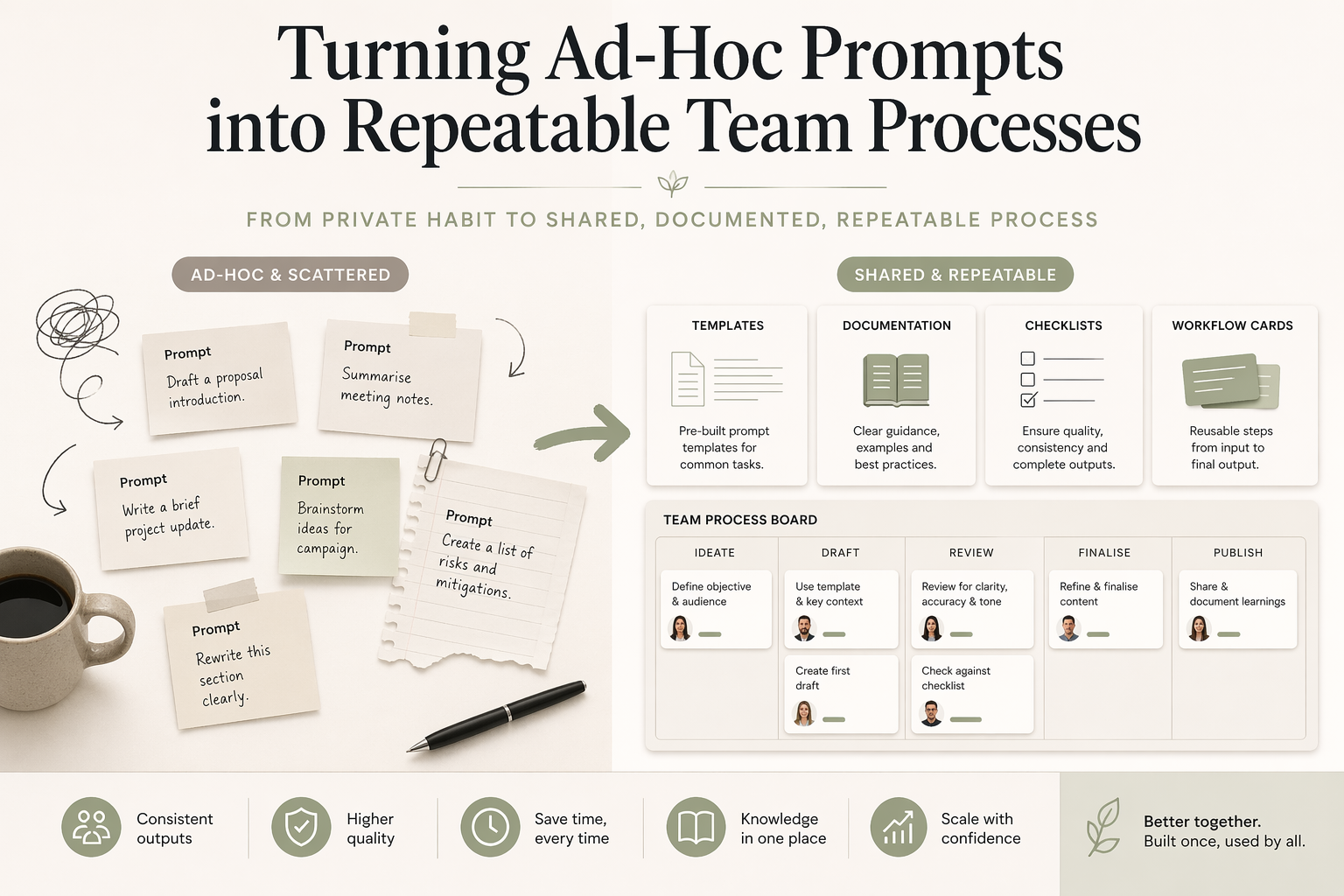
Many teams already use AI tools every day, but they use them privately and inconsistently.
One person gets strong outputs. Another gets weak ones. No one knows exactly why.
That usually means the issue is not the model. The issue is that prompting lives as individual habit instead of shared process.
For a small service business, that matters. If only one person knows how to get a useful client email draft, a clean summary, or a decent follow-up message from AI, the business has not really built a system. It has one person with a private workaround.
The opportunity is to turn the useful parts of that workaround into something the team can repeat.
Standardise the input before chasing better output
If the same task is prompted in five different ways, results will vary for reasons that have nothing to do with model quality.
Create a lightweight standard for recurring tasks:
- what context should always be included
- what source material should be referenced
- what output format is expected
- what checks a human should apply before using the result
- where the prompt belongs in the workflow
This makes prompt performance easier to improve because the baseline is stable.
It also makes the team less dependent on the person who first wrote the prompt. If a prompt only works when one person remembers the right context, tone, and output format, it is not a team process yet.
What a prompt library actually looks like
A prompt library does not need to be a heavy knowledge base. For a small team, a simple table in Notion, Google Sheets, or a shared document can be enough.
When the business also needs SOPs, handover notes, service rules, and reusable AI context in one place, the prompt library should sit inside a broader internal knowledge system. That keeps prompts connected to the source material and review rules they depend on.
The useful structure is:
| Field | What to document |
|---|---|
| Name | A short label people recognise |
| Purpose | What task the prompt supports |
| When to use | The workflow step where it belongs |
| Required inputs | The information someone must provide |
| Prompt text | The reusable prompt or template |
| Expected output | What the result should look like |
| Review checklist | What a person must check before using it |
| Owner | Who maintains the prompt |
Here is a filled example.
| Field | Example |
|---|---|
| Name | Client inquiry response |
| Purpose | Draft a first response to a new service inquiry |
| When to use | After a website form or email inquiry arrives |
| Required inputs | Client name, service requested, location, urgency, notes from the inquiry |
| Prompt text | Draft a warm, concise first response using the details below. Confirm we received the inquiry, summarise the request, ask for any missing information, and suggest the next step. Do not promise availability or pricing. Keep the tone practical and direct. |
| Expected output | 150-200 word email draft with a clear next step |
| Review checklist | Check the client name, service type, next step, tone, and any claims about timing or pricing |
| Owner | Admin lead |
This is not about making the prompt look impressive. It is about making the repeated task easier for someone else to do well.
Turn strong prompts into reusable templates
Once a team member finds a prompt that consistently works, document it in a way others can reuse.
At minimum, capture:
- purpose of the prompt
- required inputs
- expected output structure
- examples of good and bad usage
- where in the workflow it belongs
- what must be checked before the output is used
That turns private knowledge into organisational leverage.
The best prompt template is not always the longest one. It is the one that gives a reliable result when another person uses it with normal business context. If the prompt needs a long explanation every time, the system is probably not clear enough yet.
Connect prompts to real process steps
Prompts create more value when they are attached to a workflow:
- after a form submission
- before an onboarding email is sent
- when notes need to be summarised
- when a follow-up has not happened on time
- after a client meeting needs to be turned into tasks
Without that connection, prompting stays optional and inconsistent.
This is where many teams get stuck. They collect useful prompts, but no one knows when to use them. A prompt library that sits outside the work becomes another document people forget to open.
A better approach is to connect each prompt to a real trigger. For example:
- new inquiry received -> use the inquiry response prompt
- client documents uploaded -> use the document summary prompt
- quote sent three days ago -> use the follow-up draft prompt
- meeting notes saved -> use the action-item summary prompt
That is also how prompts become part of a broader AI workflow, rather than a separate activity people do when they remember.
How to introduce a prompt system to your team
Start with one person’s strongest prompt.
Choose something already being used in real work. It might be a follow-up email prompt, a summary prompt, or a prompt that turns messy notes into a clearer client update.
Ask that person to document it using the simple structure above: purpose, when to use it, required inputs, prompt text, expected output, review checklist, and owner.
Then test it with a second person.
This is the important step. If the second person cannot get a reliable result, the prompt is not ready for the team. The gap might be missing context, unclear inputs, vague output expectations, or review rules that only exist in the first person’s head.
Refine the prompt based on those gaps. Once two people can use it and get a workable output, then roll it out to the rest of the team.
Do not force adoption too fast. A common failure mode is trying to launch a whole prompt library before any single prompt has proved useful in daily work. Start with one repeated task, make it easier, then add the next one.
Add review rules, not just templates
Repeatability comes from guardrails as much as wording.
Useful review rules might include:
- check facts against the source material
- keep the response in the agreed format
- do not send client-facing copy without approval
- flag ambiguity instead of guessing
- remove any claim about price, timing, or advice unless a person has confirmed it
These rules make AI outputs safer and easier to trust.
They also help the team understand that the prompt is not the whole system. The system is the prompt, the input, the workflow step, and the human review.
For small businesses, that review step is often the difference between “AI made this faster” and “AI created another thing we have to clean up”.
Australian workplace context
Australian small businesses often have flat team structures. There may be no dedicated operations manager, process owner, or internal systems person.
That changes how prompt systems should be designed.
Enterprise templates often assume someone has time to maintain a large knowledge base, run formal training, and audit usage. Most small service businesses do not work that way. The owner, admin lead, practice manager, or senior team member is usually already doing client work, follow-up, scheduling, and problem solving.
That means prompt systems need to be simple enough to maintain in normal work.
For an Australian small business, a useful prompt library might be a single Notion page, a Google Sheet, or a small section inside the team’s existing documentation. It should be easier to use than starting from scratch. If maintaining the prompt system becomes another admin job, it will not last.
This is why I usually connect prompt work to existing tools and workflows during AI consultancy. The goal is not to introduce a new layer of process for its own sake. The goal is to make repeated work easier and more consistent.
Shared systems beat isolated cleverness
The long-term advantage is not having one person who is unusually good at prompting.
The advantage is having a team process where good prompting is documented, reusable, reviewed, and tied to the way work already happens.
That matters for onboarding too. When a new person joins, they should not have to learn by watching someone else use AI privately. They should be able to see which prompts are used for which tasks, what information they need, and what a good output looks like.
The same principle applies to broader AI adoption. If the business wants practical, maintainable systems, start with shared process. A process audit can help identify which repeated task is worth turning into the first documented prompt or workflow.
If you want to go one layer deeper, the next step is turning the strongest repeated prompts into AI context files and, where the task is repeated often enough, reusable AI skills. Those pieces sit inside the broader AI harness around ChatGPT, Claude, Codex, or another assistant.
FAQ
What should go into a prompt library?
A useful prompt library should include the prompt name, purpose, when to use it, required inputs, prompt text, expected output, review checklist, and owner. The goal is not to store clever wording. The goal is to make repeated work easier for the whole team. Each prompt should be tied to a real process step so people know when it belongs in the workflow.
How do you get a team to use shared prompts?
Start with one prompt that already works for one person, document it, and test it with a second person. If the second person cannot get a reliable result, the prompt is not ready for the whole team. Refine the inputs, output format, and review checklist before rolling it out. Adoption works better when the system solves a real repeated task rather than asking people to change everything at once.
Do small businesses need complex prompt engineering?
Most small businesses do not need complex prompt engineering. They need clear inputs, reusable templates, and review rules that fit the way the team already works. A simple documented prompt used consistently is usually more valuable than a sophisticated prompt that only one person understands. The best prompt systems are easy to maintain, easy to check, and connected to a real workflow.