
AI Workflow Examples for Small Businesses
Practical AI workflow examples for small businesses, including enquiry triage, quote follow-up, onboarding, document chasing, meeting notes, and status summaries.
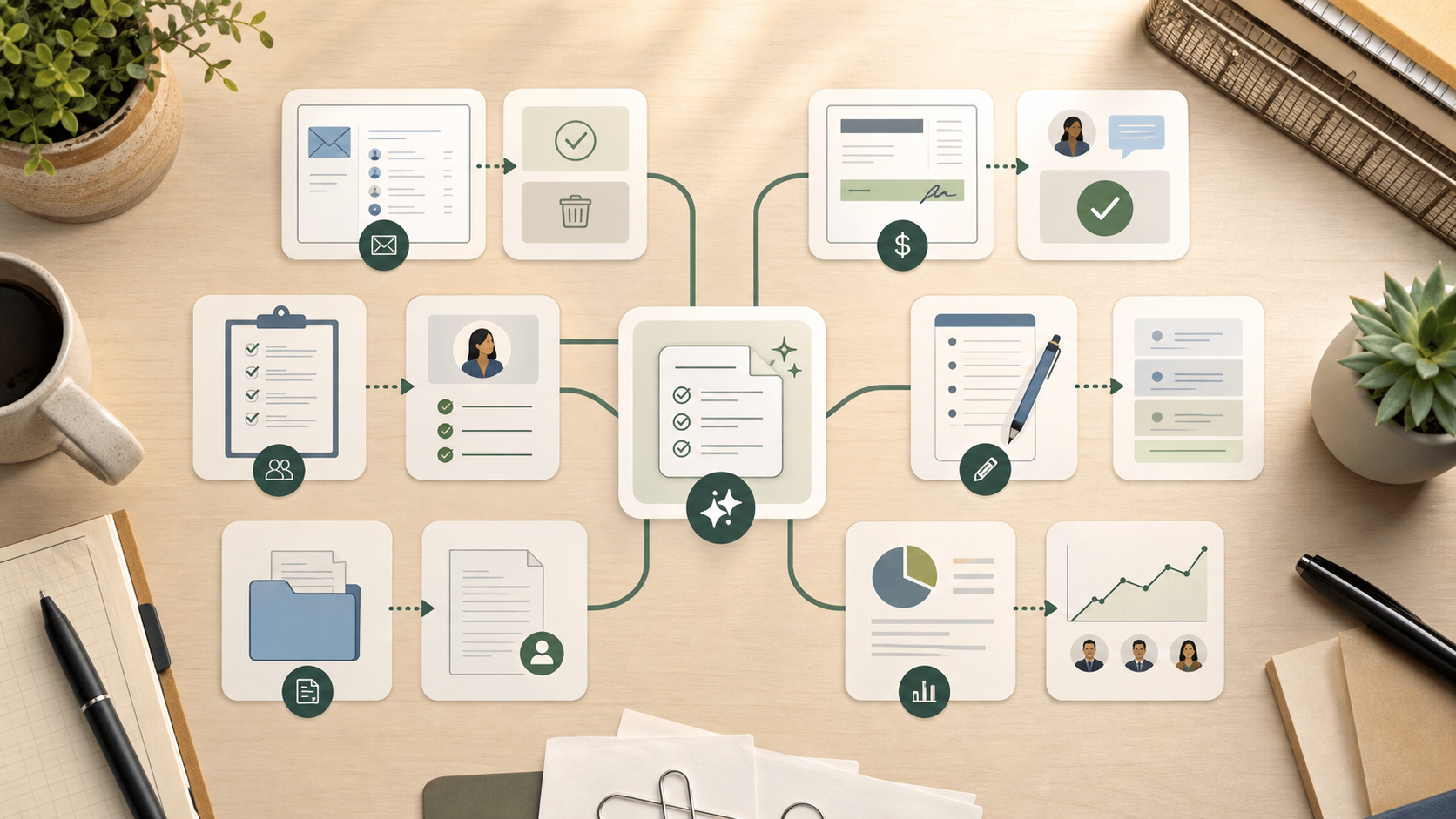
AI workflow examples for small businesses include enquiry triage, quote follow-up, onboarding preparation, document chasing, meeting-note cleanup, and internal status summaries. In each case, AI should handle a narrow preparation task while a person keeps ownership, review, and final judgement.
“AI workflow” can sound abstract until you put it inside real business work.
For a small service business, the useful version is not a futuristic system running the company. It is usually a repeated admin or communication task made clearer, faster, and easier to review.
The workflow matters more than the model. ChatGPT, Claude, or an automation tool can help, but only after the business knows the trigger, input, output, owner, and review rule.
If you need the definition first, start with what an AI workflow is. If you are ready for examples, use this article to spot the pattern that fits your business.
What counts as an AI workflow example?
An AI workflow has more structure than a one-off prompt.
A prompt is something someone types. A workflow is a repeated sequence around the work.
At minimum, it needs:
- a trigger that starts the task
- an input the AI can use
- a defined output
- an owner
- a review rule
- a measure of whether it helped
That structure is what turns AI from private experimentation into a business process.
For example, asking ChatGPT to “write a follow-up email” is a prompt. A quote follow-up workflow is different. It starts when a quote has not received a response after two business days. It uses the quote details and customer context. It prepares a draft. A person checks it. The business tracks whether follow-up became more consistent.
That is the difference that matters.
Six practical AI workflow examples
| Workflow example | Trigger | AI task | Human review | Business outcome |
|---|---|---|---|---|
| Enquiry triage | New form, email, or referral arrives. | Summarise the request, classify type, draft first response. | Check fit, urgency, and tone. | Faster response and less inbox sorting. |
| Quote follow-up | Quote has no response after a set period. | Prepare reminder and draft follow-up message. | Check timing, price context, and client situation. | Fewer missed follow-ups. |
| Onboarding preparation | Client is marked ready to start. | Draft onboarding email and checklist from service type. | Check client details and required documents. | More consistent onboarding. |
| Document chasing | Required documents are overdue. | Summarise missing items and draft reminder. | Check sensitivity and wording. | Less repeated chasing. |
| Meeting-note cleanup | Notes or transcript is saved. | Turn messy notes into decisions, actions, and owners. | Check decisions and commitments. | Cleaner handoffs after meetings. |
| Internal status summary | Weekly review or status checkpoint arrives. | Summarise open work, stalled tasks, and exceptions. | Check source records and priorities. | Better visibility without manual reporting. |
These examples work because the AI task is narrow. It prepares the repeated part. It does not become responsible for the whole relationship, project, or decision.
That is the practical boundary small businesses need.
Example 1: enquiry triage
An enquiry arrives through a website form or shared inbox. Someone has to read it, decide what type of request it is, check whether it looks relevant, and prepare a response.
The AI workflow can summarise the enquiry, classify the request, and draft a short first reply from approved context.
The person still checks whether the lead is a fit, whether the request is urgent, and whether the response is appropriate.
This helps when enquiries are inconsistent and response time matters. It does not replace the business owner’s judgement. It removes the repeated reading, sorting, and first-draft work that slows the response down.
Example 2: quote follow-up
A quote is sent. Two business days pass. No response comes back.
The workflow prepares a reminder and drafts a follow-up using the customer name, job type, quote context, and previous message. A staff member reviews it before sending.
This is one of the strongest first AI workflows for many service businesses because the trigger is clear and the cost of missed follow-up is obvious.
If you are still deciding whether quote follow-up should be your first workflow, read business processes small businesses should automate first.
Example 3: onboarding preparation
A new client says yes. The business needs to send a welcome message, request documents, explain next steps, and make sure nothing important is missed.
The workflow prepares the onboarding email and checklist from the client type and agreed service. A person checks the details before it goes out.
This works well for bookkeepers, accountants, agencies, consultants, trades, and allied health admin teams because onboarding often repeats but still needs client-specific review.
For an accounting-specific version, the AI for accountants page goes deeper on document chasing, Xero, MYOB, spreadsheet review, and reviewed workflows.
Example 4: document chasing
Missing documents slow work down. The admin is not difficult once. It becomes draining because someone has to keep checking what is missing, rewrite reminders, and remember when to follow up.
An AI workflow can prepare a missing-document summary and a reminder draft. A person checks whether the wording is appropriate before it is sent.
This workflow is useful because it makes incomplete work visible. It also reduces the repeated emotional labour of writing the same reminder from scratch.
Example 5: meeting-note cleanup
After a client call or internal meeting, notes are often messy. Decisions, actions, owners, and follow-ups sit inside a transcript, notebook, or rough document.
The workflow turns that material into a standard internal format:
- decisions made
- actions required
- owner for each action
- due dates or follow-up points
- open questions
A person checks the summary before it becomes the source of truth.
This is often a good early workflow because it is useful without being too risky. The AI prepares the structure. People still own the decisions.
Example 6: internal status summaries
Small teams often lose visibility because work is spread across email, spreadsheets, job systems, notes, and chat.
An internal status workflow can summarise open work, stalled tasks, exceptions, and upcoming follow-ups into a consistent format.
The review step matters. AI should not invent progress or override the source records. It should make the existing state easier to inspect.
This is useful when the owner spends too much time asking, “Where is that up to?” The workflow does not create accountability by itself, but it can make the handoff easier to see.
How to adapt these examples to your business
Use the same pattern for any small-business workflow:
- Choose one repeated task.
- Name the trigger.
- Identify the source information.
- Define the output.
- Decide who reviews it.
- Test it with real examples.
- Measure time saved, missed follow-up prevented, or consistency improved.
If you cannot answer those points, the workflow is not ready. The right next step is process mapping, not tool selection.
The broader guide on how to automate business processes in a small business explains that implementation sequence in more detail.
What these examples have in common
The best AI workflows usually share the same pattern.
They are repeated. They support admin, communication, or coordination. They have a clear owner. They keep review where risk matters. They improve a real business outcome, such as response speed, consistency, follow-up reliability, or reduced admin time.
They also avoid pretending AI is the whole system.
That is where many businesses go wrong. They see a useful output from one prompt and assume the workflow is solved. It is not. The workflow still needs context, rules, review, ownership, and maintenance.
This is why reducing admin load with AI workflows focuses on maintainability. The workflow has to keep working after the first impressive demo.
When examples are not enough
Examples help you see what is possible. They do not tell you which workflow should come first in your business.
That decision depends on frequency, cost, risk, tool fit, team behaviour, and whether the process is already clear enough to automate.
If you are unsure, do not start by comparing every AI tool. Start by mapping the workflow. A process audit can help identify the first process worth improving and the simplest way to support it.
That is also how my AI consultancy work usually starts: one repeated source of friction, one practical workflow, then expansion only if the first improvement proves useful.
Key takeaway
AI workflows become useful when they sit inside real business work.
Enquiry triage, quote follow-up, onboarding, document chasing, meeting notes, and internal summaries are good examples because they are repeated, structured, and easy to review.
The aim is not to automate everything. The aim is to reduce repeated preparation work so people can spend more time on judgement, clients, and higher-value decisions.
FAQ
What are examples of AI workflows?
Examples include enquiry triage, quote follow-up, onboarding preparation, document chasing, meeting-note cleanup, and internal status summaries. Each workflow should have a trigger, AI preparation task, human review step, and measurable outcome.
What is the easiest AI workflow for a small business?
The easiest first AI workflow is usually quote follow-up, enquiry response drafting, or meeting-note cleanup. These tasks repeat often, produce recognisable outputs, and can be checked before anything important is sent or recorded.
Can AI workflows run without human review?
Some low-risk internal workflows can use lighter review once they are proven. First versions should usually include human review, especially when outputs affect clients, money, compliance, health, safety, or trust.
Do AI workflows need automation software?
Not always. Some workflows begin as reusable prompts or instructions inside existing tools. Automation software becomes useful when the workflow needs reliable triggers, handoffs, schedules, or data movement between systems.