
Safe AI Workspaces: .env Files, API Keys, and Tool Access
A practical guide to keeping secrets, API keys, tokens, local files, connectors, Claude Code, and Codex workflows safer.
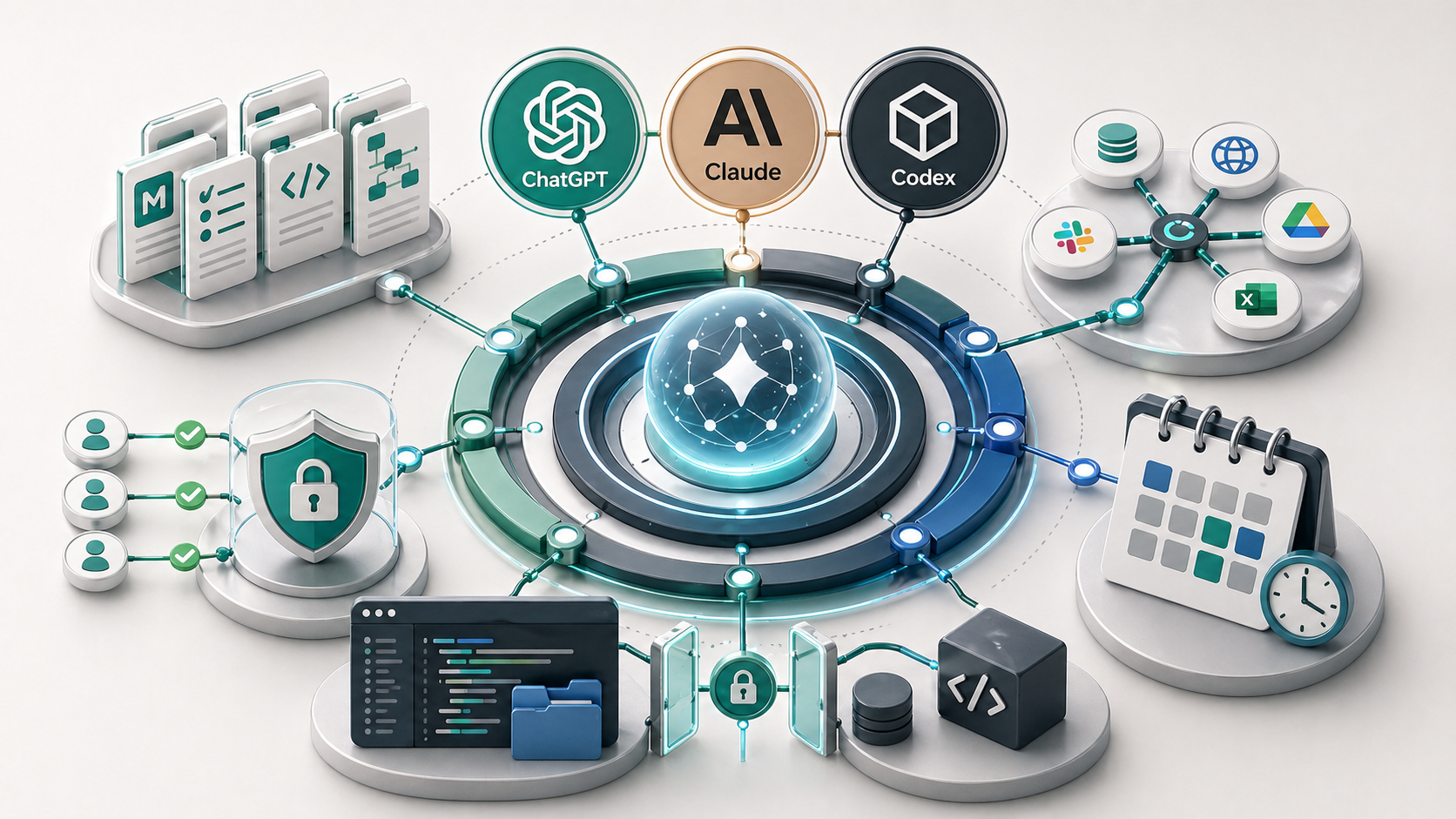
A safe AI workspace keeps instructions, working files, and secrets separate. Markdown context files can explain the business and workflow, but API keys, tokens, passwords, private keys, and .env values should stay out of assistant-readable knowledge folders and committed files. Use ignored local files, environment variables, secret stores, narrow permissions, and review rules before giving AI tool access.
As AI tools become more capable, the safety problem changes.
The risk is not only what the assistant says. The risk is what it can read, change, send, expose, or commit.
That matters when you use Claude Code, Codex, MCP connectors, local project folders, or tool-connected assistants. These tools are useful because they can work closer to the real environment. That is also why they need boundaries.
What is an AI workspace?
An AI workspace is the environment where the assistant does its work.
It might include:
- markdown context files
- project folders
- uploaded documents
- connected apps
- code repositories
- terminal access
- MCP servers
- local scripts
- task boards or CRMs
The workspace is the assistant’s operating context. If the context is clean, scoped, and safe, the assistant is easier to trust. If the workspace mixes instructions, client records, secrets, and broad permissions, risk increases quickly.
What counts as a secret?
A secret is any value that gives access to a system, account, database, service, or private resource.
Common examples include:
- API keys
- access tokens
- refresh tokens
- passwords
- private keys
- database URLs
- webhook secrets
.envvalues- credentials copied from admin dashboards
Do not put these into about-me.md, writing-style.md, AGENTS.md, CLAUDE.md, SOPs, prompt libraries, or general context folders.
Those files are for instructions and context. They are not a password manager.
Why .env files matter
An .env file stores environment variables for a project.
In plain English, it often contains the private values a project needs to connect to external services. That might include an API key, database URL, email service token, or authentication secret.
This is normal in software projects. The safety rule is that .env files should usually stay local and be excluded from git.
They should not be copied into a markdown context file just because an assistant needs to understand the project.
The assistant can be told that the project uses environment variables. It does not need to see the actual secret values unless there is a very specific, controlled reason.
Safe context files versus unsafe secret files
| File type | Safe contents | Unsafe contents |
|---|---|---|
business-context.md | Audience, offers, positioning, workflow notes | Client secrets or private records copied unnecessarily |
writing-style.md | Tone, examples, formatting rules | Login details or private account data |
AGENTS.md or CLAUDE.md | Project rules, testing steps, approval rules | API keys, tokens, passwords |
security-rules.md | What the assistant can and cannot access | Actual secret values |
.env | Local secret values used by the project | Anything committed, uploaded, or copied into general context |
The separation matters.
Instructions should be easy for the assistant to read. Secrets should be protected from casual reading, accidental commits, and broad tool access.
Where Claude Code and Codex need boundaries
Claude Code and Codex can both work inside a project-aware environment.
That can include reading files, editing files, running commands, checking outputs, and helping verify changes. This is useful because the assistant can work from the real project rather than a vague description.
But a project-aware assistant should have rules.
Good rules include:
- do not read secret files unless explicitly approved
- do not print secrets into the conversation
- do not commit
.envfiles - do not run destructive commands without approval
- do not send, publish, or deploy without review
- explain high-risk commands before running them
- keep changes scoped to the task
These rules should be written down. They should not live only in someone’s memory.
Connector and MCP safety rules
The same logic applies to MCP and AI connectors.
A connector that reads a narrow SOP folder is different from a connector that can access email, CRM records, invoices, and client files.
Start with the smallest useful permission:
- Read-only access where possible.
- A narrow folder or tool scope.
- Draft-only actions before write actions.
- Human approval for client-facing or record-changing work.
- Clear logs or review steps for anything important.
Do not connect every tool just because it is available.
More access does not automatically create a better AI workflow. Often it just creates more ways to pull the wrong context or expose the wrong information.
Practical safety checklist
Use this checklist before giving AI access to a workspace.
- Are secrets stored outside general context files?
- Are
.envfiles ignored by git? - Are API keys and tokens kept out of chat prompts?
- Does the assistant know what files not to read?
- Are connector permissions narrow?
- Are write actions separated from read actions?
- Is there a review step before sending, publishing, deleting, committing, or changing records?
- Can someone inspect what changed?
- Is there a clear owner for maintaining the setup?
This does not need to become a heavy security program. It does need to be explicit.
How this connects to the broader AI harness
Security is not separate from the AI harness. It is part of the harness.
Context files improve output. Skills make repeated tasks more consistent. Connectors bring in real business data. Claude Code and Codex let the assistant work inside a project.
Each layer adds usefulness. Each layer also needs boundaries.
That is why terminal basics, context files, and scheduled automations should all be designed with safety in mind.
Key takeaway
Useful AI access should be narrow, intentional, and reviewable.
Do not put secrets where the assistant reads general context. Do not connect tools broadly before the workflow is clear. Do not let write actions happen without review when the task affects clients, money, compliance, safety, or reputation.
If your business wants to move from chat prompts into connected tools, Claude Code, Codex, or local automations, the safest first step is to map the workflow. The guide on how to automate business processes in a small business explains how to choose that first workflow before adding tool access. A process audit can help decide what AI should access, what it should only draft, and what should stay under human control.
FAQ
What is an .env file?
An .env file stores environment variables for a project, often including API keys, tokens, database URLs, and other configuration values. It should usually stay local, be ignored by git, and not be copied into AI-readable context files.
Should I paste API keys into ChatGPT or Claude?
No. Do not paste API keys, tokens, passwords, private keys, or other secrets into ChatGPT, Claude, or general context files. Use environment variables, secret stores, or approved platform settings instead.
Can Claude Code or Codex read local files?
Claude Code and Codex can work with local or project files depending on the setup and permissions. That is what makes them useful, but it also means sensitive files need boundaries, gitignore rules, and review before access is granted.
What should go into a security-rules.md file?
A security-rules.md file should explain what the assistant can access, what it must never read or expose, which actions require approval, where secrets are stored, and what review steps apply before sending, publishing, deleting, committing, or changing records.